AI money tracker
AI Money Tracker: See Your Spending and Find Hidden Costs With Dovly AI
Dovly AI is AI for your money: it finds money you're already losing and turns it into progress on the goals that matter. It watches over your connected bank accounts and credit cards, read-only, learns your patterns, and notices what you'd miss: a subscription that renewed quietly, a bill that crept up, a fee you never agreed to, savings sleeping on the job.
Your money, handled
It is AI that looks at your money the way you would if you actually had the time. Your bank has AI. Now you do too.
Find my moneySpending Gets Hard to Track Across Accounts and Recurring Charges
To be clear about what kind of AI money tracker this is: Dovly AI gives you account-level visibility and flags potential costs. It isn't a purchase-entry app. There's no receipt scanning and no manual logging. It works from the accounts you connect.
A checking account, two or three cards, a handful of subscriptions, and the usual bills. Each one produces its own stream of financial data, and none of them talk to each other. You can open any app and see each individual payment, and still have no idea where all your expenses went this month. That's the gap between seeing a list of transactions and seeing the full picture of your personal money.
The leaks are rarely dramatic. They’re recurring transactions you set up once and forgot: a streaming service you signed up for two years ago, an app that renews every January, a service fee on an account you barely use, a bill that crept up after an "introductory rate" ended. The CFPB’s spending tracker guide asks people to check exactly these things: services or subscriptions you’re not really using, and service fees on cards or other financial services you could eliminate.
The cost isn't a fixed dollar loss. It's the repeated review, the uncertainty, and money slipping out of your monthly budget while you're busy living. You were never bad with money. Nobody handed you the manual.
Why manual trackers stall
Most people who try to track expenses with a manual expense tracker hit the same wall. You have to log expenses and record expenses by hand, or remember to add transactions after every purchase. Miss a few days and the numbers stop meaning anything. So people start asking practical questions before they download another finance app:
- Does it import transactions on its own, or do I have to add expenses myself?
- Does it allow manual entry, or does it require a bank login?
- Can I scan receipts or upload receipts instead of typing?
Fair questions, and the answers vary. Some apps are built around entry methods like voice input, a receipt photo, or Apple Pay prompts. Others connect to your accounts and work from what’s already there. Dovly AI is the second kind.
You probably also have a picture in mind of what a money manager should include: a monthly budget planner, category spending limits, an emergency fund tracker. Those are reasonable expectations from a budgeting app, and you came here for an easier way to manage money, not a lecture. Dovly AI isn't built as a budgeting app. A budget tells you that you overspent. It doesn't tell you why, what changed, or what to do about it. Traditional tools show what happened. Dovly AI shows what's worth your attention and the next step.
From scattered accounts to one view
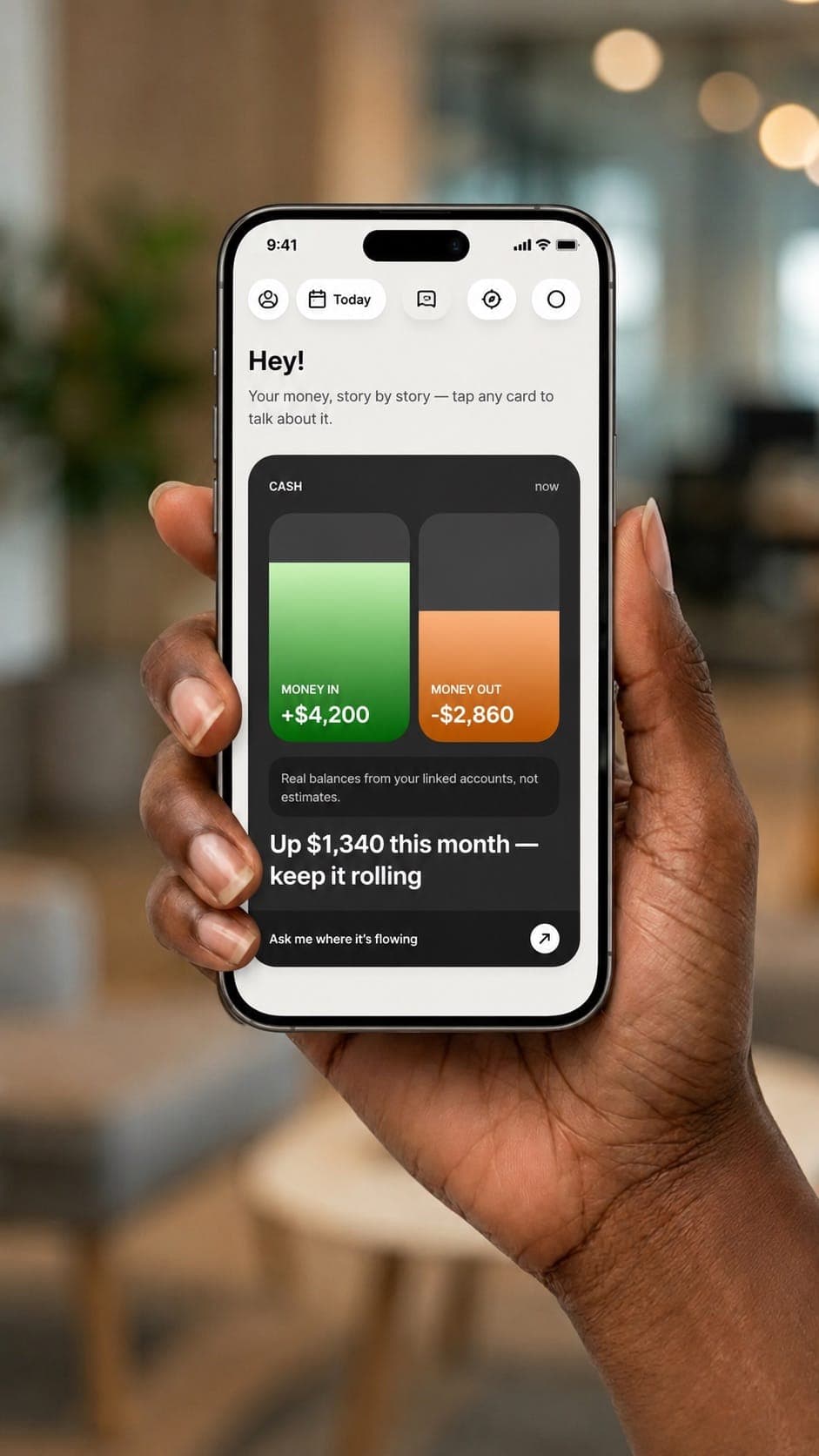
Dovly AI connects your bank and credit information, shows spending across your linked accounts, and flags potential opportunities for you to review. It can read your transactions and balances. It can't move money, transfer funds, or open accounts. Your money never moves without you.

Budgeting App vs Dovly AI: What It Says vs What It Does
★ Our pick
Dovly AI notices and suggestsHow Dovly AI Watches Over Your Money and Suggests the Next Move
Dollar amounts above are illustrative examples from dovly.com, not member averages. Your numbers vary. That is the shift: from "here is what you spent" to "we looked, here is what we found, and here is what to do about it." One AI in your corner instead of six apps that do not talk to each other.
Dovly AI follows four steps: Connect, See, Save, Grow. Behind them, the AI-powered part keeps reading your connected transaction history. It learns what normal looks like for you, notices what changes (a new recurring charge, a bill that jumped, cash that hasn't moved), and uses artificial intelligence to point to what's worth checking and tell you why. It doesn't promise to categorize every transaction or reduce every bill. It finds what you'd miss and hands you the next move.
Connect Bank and Credit Accounts in One View
Connect: link your bank and credit accounts in about two minutes, so you don't start tracking from zero. Dovly AI uses a soft pull, so connecting doesn't affect your credit score.
See: your connected accounts in one view, covering spending, credit, and savings. Coverage means the accounts you choose to connect, not every institution or every account you've ever opened.
The permission boundary: access is read-only, always. Dovly AI can read transactions and balances. It cannot move money, transfer funds, or open accounts on your behalf. Dovly AI reports bank-level security with 256-bit encryption, says it is SOC 2 audited, and says your data is never sold.
People asking online about money apps tend to raise the same concerns: what data is shared, who can see it, and how to stop access later. The CFPB's guide to sharing your financial data is a good checklist. It suggests you:
- Make sure only the data you want to share is being shared
- Check whether that data may be shared with third parties
- Learn what data is stored, and for how long
- Check whether the service can make payments or move money
- Know how to stop the service from accessing your accounts, and delete your data where applicable
Dovly AI publishes these answers: read-only access, no ability to move money, data never sold, and read-only credentials you can revoke in your account settings at any time. For anything else, such as connection partners or how long data is kept, check Dovly AI's privacy policy and terms before you connect.
Dovly AI is available in the United States. It doesn't advertise availability in Latin America or other countries, and it doesn't list multi currency support, multiple currencies, multiple wallets, or shared wallets.
See What Changed, Not Just What You Spent
This is the core money tracking use case. Your connected spending and recurring payments sit in one place, and Dovly AI looks for things like:
- Subscriptions that renewed without you noticing
- Fees you never agreed to, including service fees and overdraft charges
- Bills set higher than they need to be
- Savings sitting at near-zero interest
- Cards whose rewards don't match how you actually spend
- Cashback and bonuses you never claimed
These are examples of what it can find, not a guaranteed list. Every account mix is different.
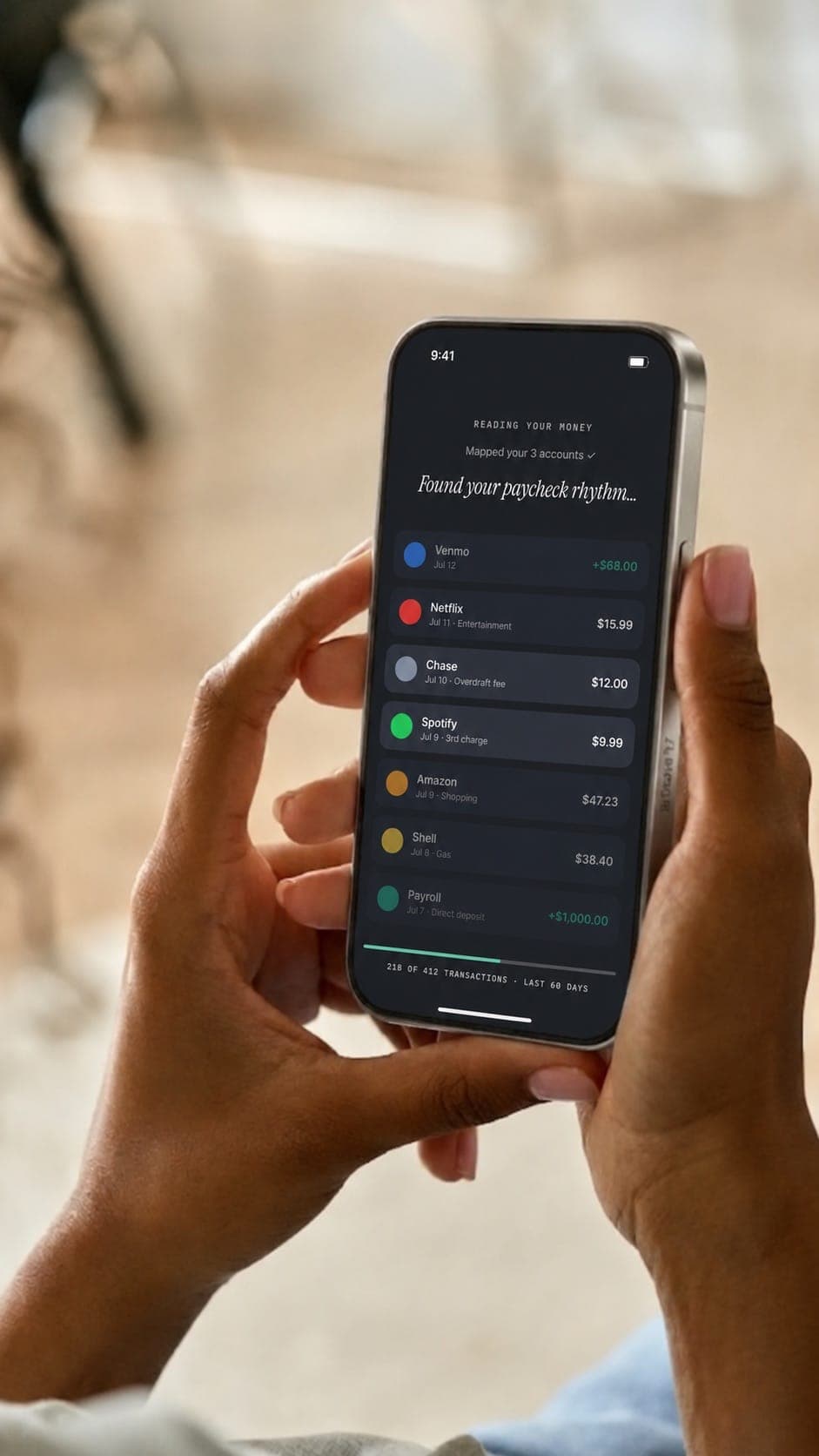
How do the AI insights work in practice? Say Dovly AI flags a subscription that renewed last month. The finding explains what it spotted, how often it charges, and what to check next: whether you still use it and whether the charge matches your bank statement. That is personalized recommendations in plain language, not a category warning. And because Dovly AI keeps watching, findings build on your habits over time, revealing spending patterns across your connected accounts that are hard to see one statement at a time.
What about an AI assistant or open-ended AI chat? Dovly AI's published materials describe findings with next steps, not a chat window. Some other apps advertise chat and broader reporting; that's their feature set, not Dovly AI's.
Entry methods are the other big difference. Rolly accepts text, voice, and receipt photos. MonAi supports voice input and Apple Pay prompts. AI Money describes WhatsApp, voice, and photo entry. With Dovly AI, there's no way to log expenses, add transactions, scan receipts, upload receipts, or create AI logs from a receipt photo. It isn't an AI expense app in that sense, and it isn't built for itemized expense tracking. You don't feed it. It reads the connected accounts you link and does the noticing.
Review a Finding and Decide on the Next Move
A finding is a starting point. You can open the subscription, fee, or bill Dovly AI flagged, look at the details, and decide what to do. Cancel it, call the provider, switch accounts, or leave it alone. That decision stays with you. Access is read-only, so Dovly AI doesn't cancel anything, negotiate anything, or move funds to act on a suggestion.
Full control also means checking the facts. Before you act, compare the finding with the underlying transaction or your bank statement. The CFPB recommends exactly that: if information in a financial app looks wrong, review your bank statements or digital banking records first.
What can a year of findings add up to? Dovly AI shows two illustrative examples:
- $4,164 a year found in subscriptions alone (illustrative example, not a member average; your numbers vary)
- $430 a year on cash you already have (illustrative example, not a member average; your numbers vary)
The payoff isn't a guaranteed return. It's a clearer view of possible savings, so you can decide where that money should go.
That’s where goals come in. Dovly AI plans around the milestones people actually care about: paying off debt, a new baby, college or a 529, a down payment, retirement, investing, taxes, travel, paying down a mortgage, and an emergency fund. It shows how close you are and what could move you closer. Dovly AI’s published examples, all illustrative, include a first home ("65% of a down payment, $10,500 to go") and a trip funded with "no credit card involved." Dovly AI doesn’t advertise a separate savings goals tracker, a debt tracking ledger, or a monthly budget calculation tool, so think of goals as the reason the findings matter, not as a planning worksheet.

Member results
Money Tracking Features and Pricing
Member count reflects Dovly AI’s credit members, not money-feature users. Security: 256-bit encryption, SOC 2 audited, soft pull only.
What you get with Dovly AI's money features:
- Continuous watch over your connected bank and credit accounts, always on
- Connected accounts in one view
- Spending, credit, and savings visibility across connected accounts
- Findings you'd likely miss: renewed subscriptions, fees, bills that crept up, idle savings, mismatched card rewards, unclaimed cashback, each with the next move in plain English
- Goal context for milestones like debt payoff, a down payment, or an emergency fund
- Read-only access: Dovly AI can't move money or open accounts
- Dovly AI-reported 256-bit encryption and SOC 2 audit
- Soft pull to connect, about two minutes to set up
- Free to start
What Dovly AI doesn't list: purchase-level expense tracking or a promise to categorize every transaction; budget tracking, a monthly budget planner, or category spending limits; Apple Pay capture; voice input; receipt scanning; manual entry; shared or multiple wallets; multiple currencies; dark mode; a savings goals tracker; debt tracking; open-ended AI chat; or availability outside the United States. The Dovly AI app is on the App Store and Google Play.
How Other Apps Approach Money Tracking
Dovly is very helpful for someone who needs to get control of their finances. I recommend it, very good.
Franzo F.
Google review
A Clearer View of Where Your Money Goes
Competitor features are based on each company’s public site as of October 2026 and may change. There’s no single best budgeting app for everyone. If you want to record every coffee, an entry-based app fits. If you’d rather have AI find what’s leaking and suggest what to do than make you type it in, that’s what Dovly AI is built for.
Dovly AI watches over your connected accounts, learns your patterns, and flags what may be costing you, with a suggested next move. You decide whether to act.
The outcome is a clearer view of your spending and possible savings, with less time spent going through statements line by line. No guaranteed amount, no spreadsheets, no jargon. You were busy. Dovly AI wasn't.
From the app 2,000,000+ people already trust with their credit, Dovly AI now helps you reach the rest of your money goals too.
Dollar amounts are illustrative examples from dovly.com, not member averages; individual results vary based on your accounts and spending. Dovly AI surfaces potential savings and does not provide financial, tax, or legal advice. Member count reflects Dovly AI credit members.

AI Money Tracker FAQ
Also worth comparing
Article
About Dovly AI - The credit super app
Article
AI Credit Builder - Build Credit Smarter & Faster with Dovly AI
Article
AI Credit Repair? We Do More - Fix & Build Credit Right
Article
AI-Powered Financial Assistant
Article
Careers at Dovly AI - Build the credit super app with us
Article
Free AI Credit Repair
Find the money you are already losing
Free to start. Read-only access, so Dovly AI can never move your money.
- Free to start
- Read-only access
- Soft pull only
Every case is different, and not everyone will achieve the same results. ¹Average increase experienced by a sample of 2,922 Dovly AI Premium members that have been enrolled more than 6 months, as of December 2025. ²Increase experienced by a sample of 8,687 Dovly AI members that were using the build product, as of March 2025. ³Averages based on data after 90 days of enrollment from all Dovly AI members enrolled between November 2023 and May 2024. ⁴Based on a sample of 789,548 Dovly AI members, as of November 2024. ⁵Average increase experienced by a sample of 107,727 Dovly AI Free members who remained enrolled for at least 9 months, as of January 2026. ⁶Dovly AI's automated credit engine maximizes your results by submitting the optimal number of disputes each month based on a combination of factors unique to your credit report. ⁷The combined total credit score increase among Dovly members through December 2025. ⁸Average increase experienced by all Dovly members that are enrolled in any of the Dovly credit builder products, as of April 2026. ⁹Money features are free to start. Continued access requires a paid Dovly AI membership at $19.99/month; cancel anytime. Dollar amounts shown are illustrative examples; individual results vary based on your accounts and spending. Dovly AI surfaces potential savings and does not provide financial, tax, or legal advice. *Eligibility for the $2,000 line of credit is subject to approval and completion of enrollment. Terms and conditions apply. Credit builder products are designed to help improve your credit with responsible use.